少女祈祷中...

Pwn环境搭建


0x00 文章介绍

  • Linux美化
  • Vim自动补全
  • Pwn环境搭建

0x01 Linux美化

配置终端

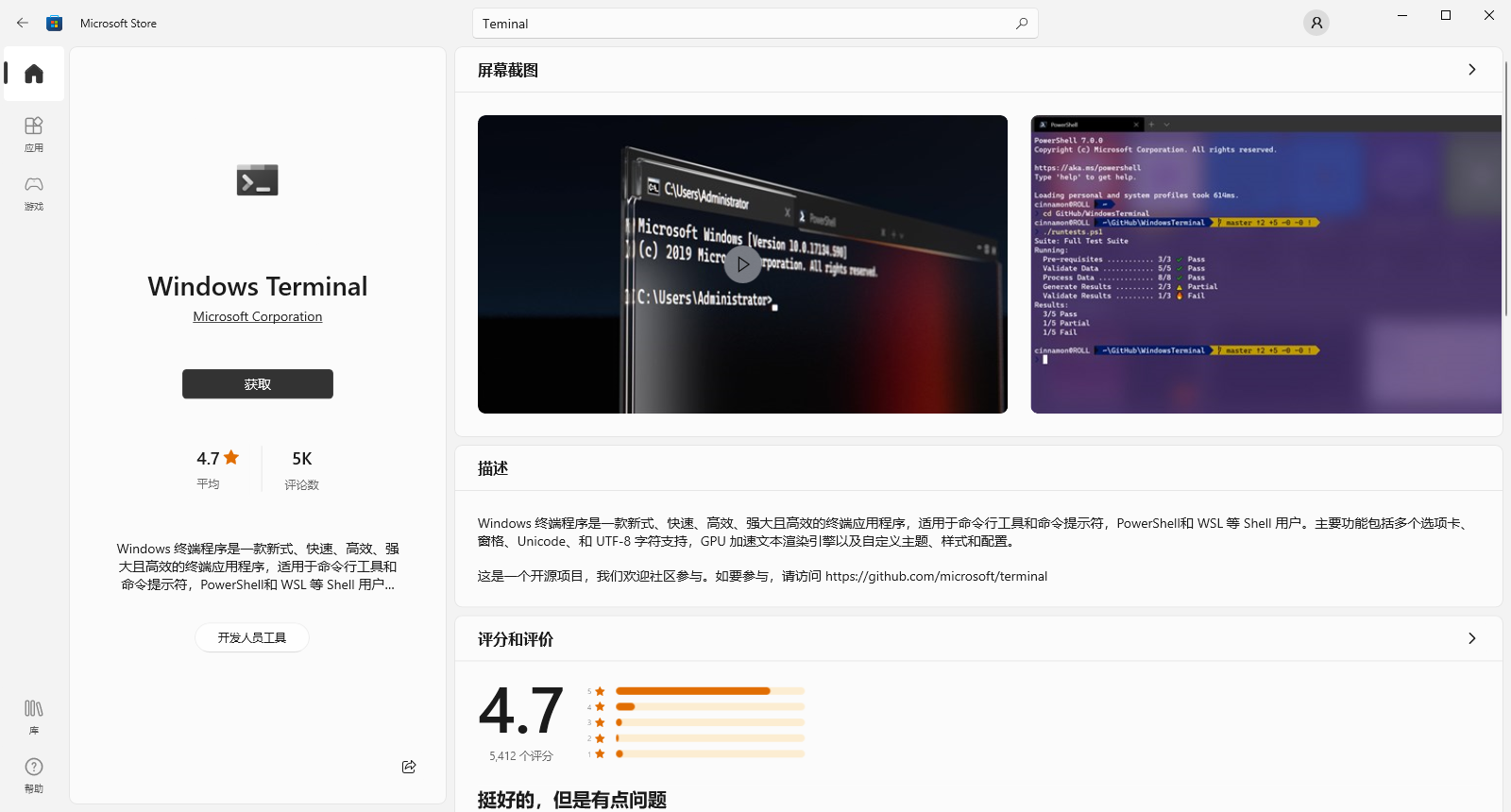
使用Microsoft Store -> Windows Terminal

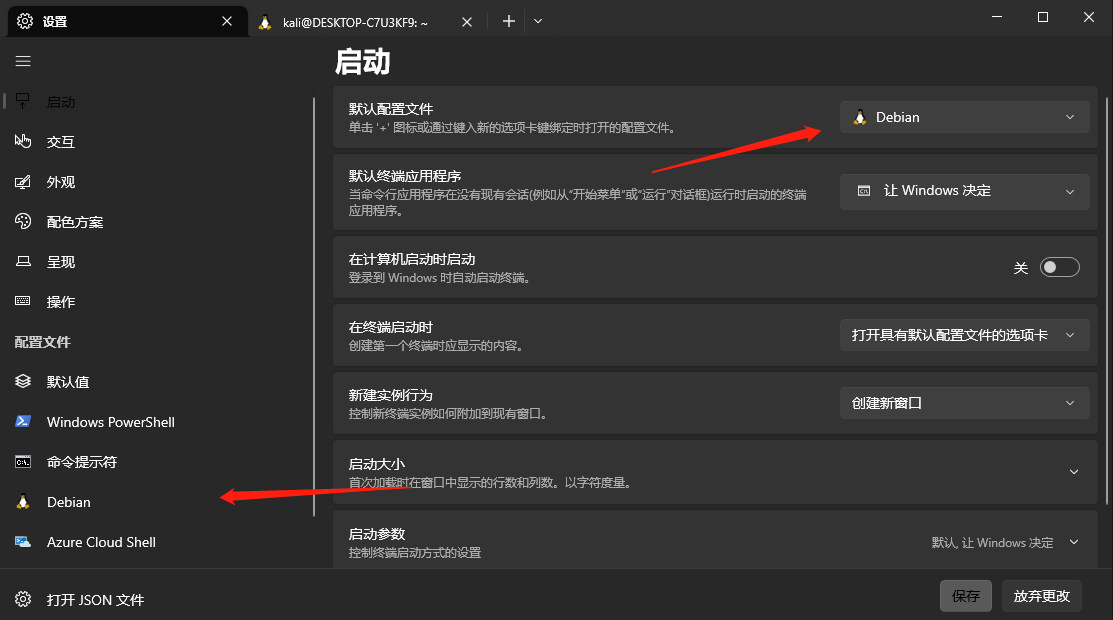
image-20230904193119865

默认配置文件改成Wsl虚拟机即可

image-20230904194601606

点击Debian -> 外观根据自己的喜好去设置即可

配置Wsl虚拟机

配置vpn.sh

1
2
3
#!/bin/bash
host_ip=$(cat /etc/resolv.conf |grep "nameserver" | cut -f 2 -d " ")
export ALL_PROXY="http://$host_ip:7890"

sh vpn.sh 运行即可

更新源

1
2
3
4
5
6
7
8
sudo vim /etc/apt/sources.list
deb http://deb.debian.org/debian bookworm main
deb http://deb.debian.org/debian bookworm-updates main
deb http://security.debian.org/debian-security bookworm-security main
deb http://ftp.debian.org/debian bookworm-backports main
deb http://ftp.de.debian.org/debian sid main
sudo apt update
sudo apt upgrade

出现per1包问题解决方法

1
2
sudo apt remove perl perl-base
sudo apt install perl=5.28.1-6+deb10u1 perl-base=5.28.1-6+deb10u1

建议使用的源

1
2
3
4
5
deb http://deb.debian.org/debian bookworm main
deb http://deb.debian.org/debian bookworm-updates main
deb http://security.debian.org/debian-security bookworm-security main
deb http://ftp.debian.org/debian bookworm-backports main
deb http://ftp.de.debian.org/debian sid main

163源

1
2
3
4
5
6
7
8
deb http://mirrors.163.com/debian/ buster main non-free contrib
deb http://mirrors.163.com/debian/ buster-updates main non-free contrib
deb http://mirrors.163.com/debian/ buster-backports main non-free contrib
deb http://mirrors.163.com/debian-security/ buster/updates main non-free contrib
deb-src http://mirrors.163.com/debian/ buster main non-free contrib
deb-src http://mirrors.163.com/debian/ buster-updates main non-free contrib
deb-src http://mirrors.163.com/debian/ buster-backports main non-free contrib
deb-src http://mirrors.163.com/debian-security/ buster/updates main non-free contrib

安装必要程序

1
sudo apt install git

安装zsh

1
2
3
4
5
6
7
8
9
sudo apt install zsh
git clone https://github.com/ohmyzsh/ohmyzsh.git ~/.oh-my-zsh
cp ~/.oh-my-zsh/templates/zshrc.zsh-template ~/.zshrc
vim .zshrc
样式选择地址:https://github.com/ohmyzsh/ohmyzsh/wiki/themes
ZSH_THEME={选择样式}
source .zshrc
zsh
chsh -s /bin/zsh

安装g++,gcc,wget,curl

1
2
3
4
sudo apt install gcc
sudo apt install g++
sudo apt install wget
sudo apt install curl

我的配置

1
2
3
4
5
6
7
8
9
10
11
12
13
14
15
16
17
18
19
20
21
22
23
24
25
26
27
28
29
30
31
32
33
34
35
36
37
38
39
40
41
42
43
44
45
46
47
48
49
50
51
52
53
54
55
56
57
58
59
60
61
62
63
64
65
66
67
68
69
70
71
72
73
74
75
76
77
78
79
80
81
82
83
84
85
86
87
88
89
90
91
92
93
94
95
96
97
98
99
100
101
# If you come from bash you might have to change your $PATH.
# export PATH=$HOME/bin:/usr/local/bin:$PATH

# Path to your oh-my-zsh installation.
export ZSH=$HOME/.oh-my-zsh

# Set name of the theme to load --- if set to "random", it will
# load a random theme each time oh-my-zsh is loaded, in which case,
# to know which specific one was loaded, run: echo $RANDOM_THEME
# See https://github.com/ohmyzsh/ohmyzsh/wiki/Themes
ZSH_THEME="jonathan"

# Set list of themes to pick from when loading at random
# Setting this variable when ZSH_THEME=random will cause zsh to load
# a theme from this variable instead of looking in $ZSH/themes/
# If set to an empty array, this variable will have no effect.
# ZSH_THEME_RANDOM_CANDIDATES=( "robbyrussell" "agnoster" )

# Uncomment the following line to use case-sensitive completion.
# CASE_SENSITIVE="true"

# Uncomment the following line to use hyphen-insensitive completion.
# Case-sensitive completion must be off. _ and - will be interchangeable.
# HYPHEN_INSENSITIVE="true"

# Uncomment one of the following lines to change the auto-update behavior
# zstyle ':omz:update' mode disabled # disable automatic updates
# zstyle ':omz:update' mode auto # update automatically without asking
# zstyle ':omz:update' mode reminder # just remind me to update when it's time

# Uncomment the following line to change how often to auto-update (in days).
# zstyle ':omz:update' frequency 13

# Uncomment the following line if pasting URLs and other text is messed up.
# DISABLE_MAGIC_FUNCTIONS="true"

# Uncomment the following line to disable colors in ls.
# DISABLE_LS_COLORS="true"

# Uncomment the following line to disable auto-setting terminal title.
# DISABLE_AUTO_TITLE="true"

# Uncomment the following line to enable command auto-correction.
# ENABLE_CORRECTION="true"

# Uncomment the following line to display red dots whilst waiting for completion.
# You can also set it to another string to have that shown instead of the default red dots.
# e.g. COMPLETION_WAITING_DOTS="%F{yellow}waiting...%f"
# Caution: this setting can cause issues with multiline prompts in zsh < 5.7.1 (see #5765)
# COMPLETION_WAITING_DOTS="true"

# Uncomment the following line if you want to disable marking untracked files
# under VCS as dirty. This makes repository status check for large repositories
# much, much faster.
# DISABLE_UNTRACKED_FILES_DIRTY="true"

# Uncomment the following line if you want to change the command execution time
# stamp shown in the history command output.
# You can set one of the optional three formats:
# "mm/dd/yyyy"|"dd.mm.yyyy"|"yyyy-mm-dd"
# or set a custom format using the strftime function format specifications,
# see 'man strftime' for details.
# HIST_STAMPS="mm/dd/yyyy"

# Would you like to use another custom folder than $ZSH/custom?
# ZSH_CUSTOM=/path/to/new-custom-folder

# Which plugins would you like to load?
# Standard plugins can be found in $ZSH/plugins/
# Custom plugins may be added to $ZSH_CUSTOM/plugins/
# Example format: plugins=(rails git textmate ruby lighthouse)
# Add wisely, as too many plugins slow down shell startup.
plugins=(git)

source $ZSH/oh-my-zsh.sh

# User configuration

# export MANPATH="/usr/local/man:$MANPATH"

# You may need to manually set your language environment
# export LANG=en_US.UTF-8

# Preferred editor for local and remote sessions
# if [[ -n $SSH_CONNECTION ]]; then
# export EDITOR='vim'
# else
# export EDITOR='mvim'
# fi

# Compilation flags
# export ARCHFLAGS="-arch x86_64"

# Set personal aliases, overriding those provided by oh-my-zsh libs,
# plugins, and themes. Aliases can be placed here, though oh-my-zsh
# users are encouraged to define aliases within the ZSH_CUSTOM folder.
# For a full list of active aliases, run `alias`.
#
# Example aliases
# alias zshconfig="mate ~/.zshrc"
# alias ohmyzsh="mate ~/.oh-my-zsh"

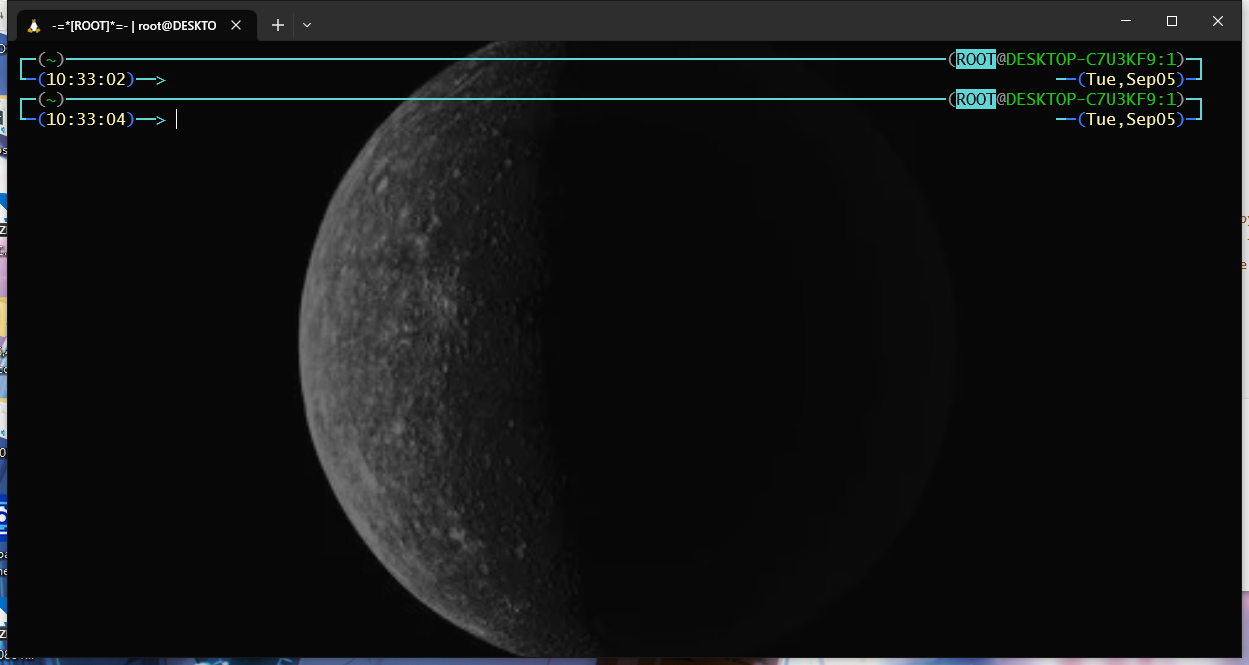
成品效果

image-20230905103325396

0x02 Vim补全

c补全

编译安装python3.8

1
2
3
4
5
6
7
8
9
sudo apt install build-essential libssl-dev zlib1g-dev libncurses5-dev libncursesw5-dev libreadline-dev libsqlite3-dev libgdbm-dev libdb5.3-dev libbz2-dev libexpat1-dev liblzma-dev libffi-dev liblzma-dev libbz2-dev libgdbm-dev libgdbm-compat-dev

wget https://www.python.org/ftp/python/3.8.12/Python-3.8.12.tgz
tar -xzvf Python-3.8.12.tgz
cd Python-3.8.12
./configure --enable-optimizations --prefix=/usr/local

make
sudo make install

安装nodejs,npm

1
2
3
sudo apt install nodejs npm
sudo npm install n -g
sudo n stable

配置补全

1
2
3
4
5
mkdir ~/ .vimfiles
cd ~/ .vimfiles
mkdir undofile
mkdir backupfile
vim .vimrc

我的.vimrc配置

1
2
3
4
5
6
7
8
9
10
11
12
13
14
15
16
17
18
19
20
21
22
23
24
25
26
27
28
29
30
31
32
33
34
35
36
37
38
39
40
41
42
43
44
45
46
47
48
49
50
51
52
53
54
55
56
57
58
59
60
61
62
63
64
65
66
67
68
69
70
71
72
73
74
75
76
77
78
79
80
81
82
83
84
85
86
87
88
89
90
91
92
93
94
95
96
97
98
99
100
101
102
103
104
105
106
107
108
109
110
111
112
113
114
115
116
117
118
119
120
121
122
123
124
125
126
127
128
129
"====================================
"=== Basic setting for vim use ===
"====================================

" 行号显示与相对行号
set nu
set relativenumber
" tab缩进大小为4格
set tabstop=4
set softtabstop=4
set shiftwidth=4
set autoindent
set smartindent
set termguicolors
" 高亮本行
set cursorline
" 粘贴模式的开关快捷键
map <M-p> :set paste<CR>
map <M-S-p> :set nopaste<CR>
" 设置换行的宽度
set nowrap
map <M-w> :set wrap<CR>
map <M-S-w> :set nowrap<CR>
" 撤销文件和备份文件的保存位置
set undodir=~/.vimfiles/undofile
set backupdir=~/.vimfiles/backupfile
" 光标设置
let &t_SI.="\e[5 q"
let &t_SR.="\e[3 q"
let &t_EI.="\e[1 q"
autocmd VimEnter * silent !echo -ne "\e[1 q"
autocmd VimLeave * silent !echo -ne "\e[5 q"
" 输入命令时Tab显示
set wildmenu
" insert模式下的移动
imap <C-l> <Right>
" leader
let mapleader = "\<space>"
" acm
source ~/.vimfiles/vimrcs/acm.vim
" 一键编译c++
map <F5> :w<CR>:call Run()<CR>
imap <F5> <ESC>:w<CR>:call Run()<CR>
func! Run()
if expand("%:e") == "c" || expand("%:e") == "cc" || expand("%:e") == "cxx" || expand("%:e") == "cpp"
echo " compiling..."
:! g++ "%" -o "%<" -Wall -std=c++20 && "./%<"
redraw!
echohl WarningMsg | echo " Running finish! :-)"
endif
endfunction
" 配色
colo desert
hi Normal guibg=NONE ctermbg=NONE
hi EndOfBuffer guibg=NONE ctermbg=NONE

"====================================
"=== Plug config ====================
"====================================
" ---------mhinz/vim-startify--------
let g:startify_custom_header = [
\ ' █████╗ ██████╗███╗ ███╗███████╗██████╗ ',
\ '██╔══██╗██╔════╝████╗ ████║██╔════╝██╔══██╗',
\ '███████║██║ ██╔████╔██║█████╗ ██████╔╝',
\ '██╔══██║██║ ██║╚██╔╝██║██╔══╝ ██╔══██╗',
\ '██║ ██║╚██████╗██║ ╚═╝ ██║███████╗██║ ██║',
\ '╚═╝ ╚═╝ ╚═════╝╚═╝ ╚═╝╚══════╝╚═╝ ╚═╝',
\]
let g:startify_custom_footer = [
\ '+------------------------------+',
\ '| Keep an open mind! |',
\ '+----------------+-------------+',
\]
let g:startify_files_number = 5
let g:startify_custom_indices = map(range(1,100), 'string(v:val)')

" ---------vim-airline/vim-airline-themes--------
"set ambiwidth=double " 设置为双字宽显示,否则无法完整显示如:☆
let g:airline_theme='bubblegum' "Airline主题
let g:airline_powerline_fonts = 1
" 开启tabline
let g:airline#extensions#tabline#enabled = 1 "tabline中当前buffer两端的分隔字符
let g:airline#extensions#tabline#left_sep = ' ' "tabline中未激活buffer两端的分隔字符
let g:airline#extensions#tabline#left_alt_sep = '|' "tabline中buffer显示编号
let g:airline#extensions#tabline#buffer_nr_show = 1
" 映射切换buffer的键位
nnoremap [b :bp<CR>
nnoremap ]b :bn<CR>

" ---------octol/vim-cpp-enhanced-highlight--------
let g:cpp_class_scope_highlight = 1
let g:cpp_member_variable_highlight = 1
let g:cpp_class_decl_highlight = 1
let g:cpp_experimental_simple_template_highlight = 1
let g:cpp_experimental_template_highlight = 1
let g:cpp_concepts_highlight = 1

" ---------neoclide/coc.nvim--------
set pumheight=10
set updatetime=100
set signcolumn=no
inoremap <silent><expr> <TAB>
\ coc#pum#visible() ? coc#pum#next(1) :
\ CheckBackspace() ? "\<Tab>" :
\ coc#refresh()
inoremap <expr><S-TAB> coc#pum#visible() ? coc#pum#prev(1) : "\<C-h>"

inoremap <silent><expr> <CR> coc#pum#visible() ? coc#pum#confirm()
\: "\<C-g>u\<CR>\<c-r>=coc#on_enter()\<CR>"

function! CheckBackspace() abort
let col = col('.') - 1
return !col || getline('.')[col - 1] =~# '\s'
endfunction
nmap <silent> [g <Plug>(coc-diagnostic-prev)
nmap <silent> ]g <Plug>(coc-diagnostic-next)
autocmd CursorHold * silent call CocActionAsync('highlight')

call plug#begin('~/.vim/plugged')
Plug 'vim-airline/vim-airline'
Plug 'vim-airline/vim-airline-themes'
Plug 'mhinz/vim-startify'
Plug 'Yggdroot/indentLine'
Plug 'preservim/nerdtree'
Plug 'crusoexia/vim-monokai'
Plug 'octol/vim-cpp-enhanced-highlight'
Plug 'neoclide/coc.nvim', {'branch': 'release'}
Plug 'Raimondi/delimitMate'
call plug#end()

继续配置

1
2
3
4
curl -fLo ~/.vim/autoload/plug.vim --create-dirs \
https://raw.githubusercontent.com/junegunn/vim-plug/master/plug.vim
vim .vimrc
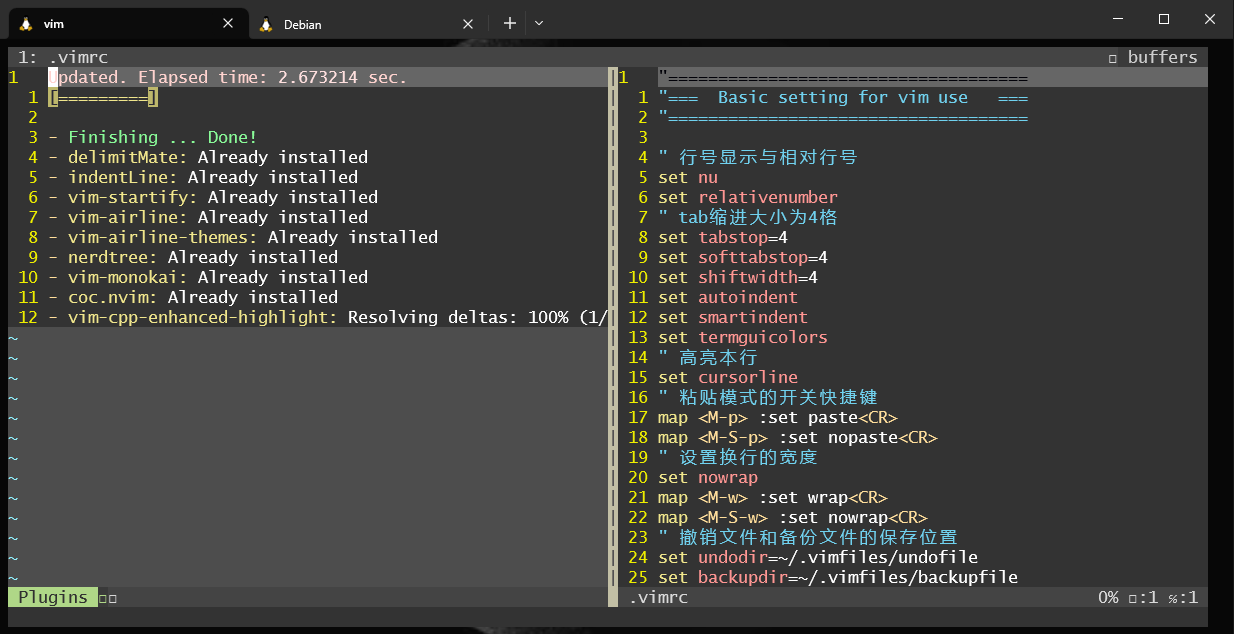
进入后Esc :PlugInstall

image-20230905135453399

todo

1
2
3
4
5
6
7
8
sudo npm install -g yarn  
cd ~/.vim/plugged/coc.nvim
yarn install
yarn build
sudo apt install clangd
clangd
vim .vimrc
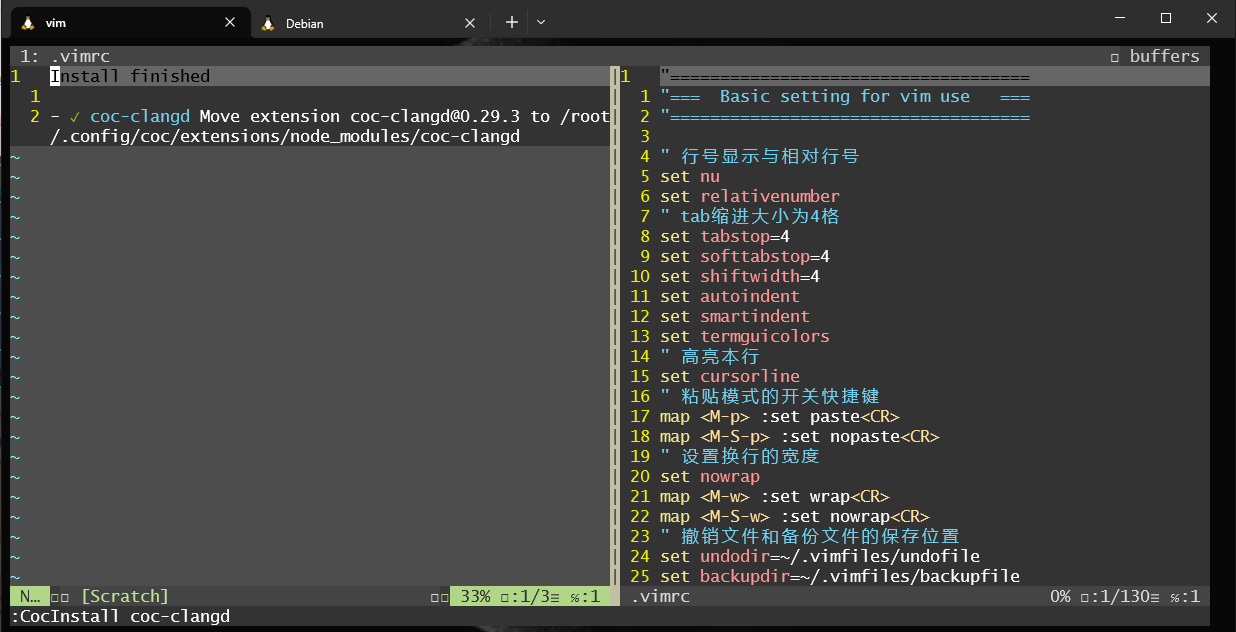
Esc :CocInstall coc-clangd

image-20230905141636557

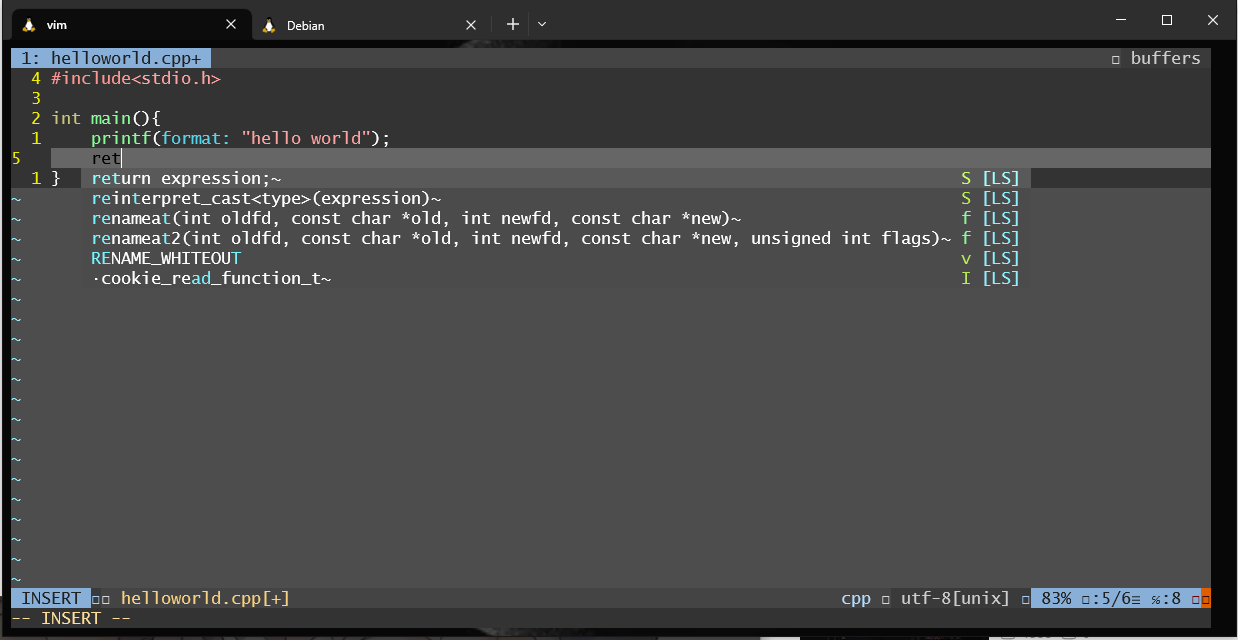
测试c补全F5可直接运行程序

image-20230905141715238

python补全

修改npm源

1
2
3
4
5
6
7
命令:npm config get registry
输出:https://registry.npmjs.org/

npm config set registry https://registry.npm.taobao.org

命令:npm config get registry
输出:https://registry.npm.taobao.org/

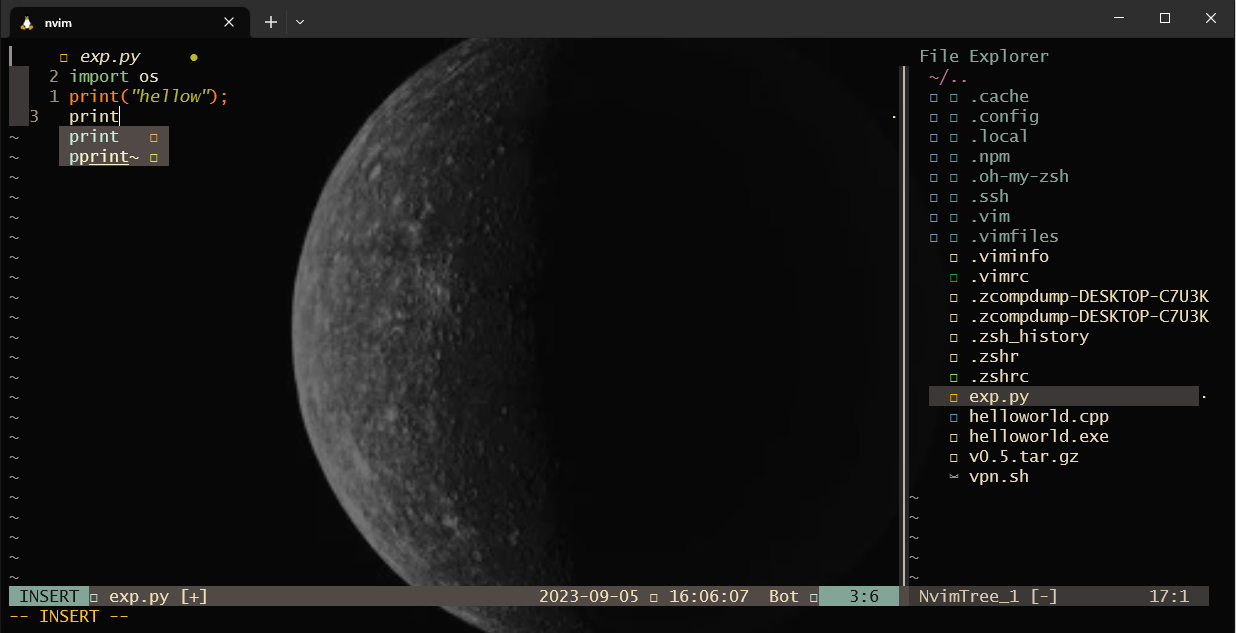
nvim

1
2
curl -sLf http://142857.red/nvimrc-install.sh | bash
nvim {{null}}

image-20230905160613420

0x03 Pwn环境搭建

介绍

  • pwntools
  • one_gadget
  • (pwncli)patchelf
  • pwngdb
  • pwndbg
  • glibc-all-in-one
  • seccomp-tools

pwntools 安装

重复操作此操作会下载一个python3.1无需理会使用python3.8即可

https://github.com/Gallopsled/pwntools

1
2
3
4
apt-get update
apt-get install python3 python3-pip python3-dev git libssl-dev libffi-dev build-essential
python -m pip install --upgrade pip
python -m pip install --upgrade pwntools

one_gadget

https://github.com/david942j/one_gadget

1
2
3
sudo apt install gem
sudo apt install ruby
gem install one_gadget

(pwncli)patchelf

https://github.com/RoderickChan/pwncli

第一种方法

1
2
3
git clone https://github.com/RoderickChan/pwncli.git
cd ./pwncli
pip3 install --editable .

第二种方法

1
python -m  pip install pwncli --proxy=http://172.30.214.1:7890 

pwngdb

https://github.com/scwuaptx/Pwngdb

1
2
3
4
apt install gdb
cd ~/
git clone https://github.com/scwuaptx/Pwngdb.git
cp ~/Pwngdb/.gdbinit ~/

pwndbg

https://github.com/pwndbg/pwndbg

1
2
3
4
5
git clone https://github.com/pwndbg/pwndbg
sudo apt-get remove --auto-remove python3
cd pwndbg
./setup.sh
nvim ~/gdbinit

我的配置

1
2
3
4
5
6
7
8
9
10
source /root/pwndbg/gdbinit.py
source ~/Pwngdb/pwngdb.py
source ~/Pwngdb/angelheap/gdbinit.py

define hook-run
python
import angelheap
angelheap.init_angelheap()
end
end

seccomp-tools

https://github.com/david942j/seccomp-tools

1
2
sudo apt install gcc ruby-dev
gem install seccomp-tools

glibc-all-in-one

https://github.com/matrix1001/glibc-all-in-one

1
git clone https://github.com/matrix1001/glibc-all-in-one.git
Share Comments